PaperWise for Android
PaperWise is a free PDF scanner app from Aishwarya Prateek for converting camera and gallery images into PDF documents.
Download PaperWise · v3.0.0PaperWise helps people who need to digitize documents, receipts, and notes by turning images into PDF files with options to reorder, crop, and resize pages. The app is free and open source, requires Android 5.0 or later, and has a download size of 9.7 MB. Files are saved locally on the device, and the app works without ads or unnecessary permissions.
- Version
- 3.0.0
- Size
- 9.7 MB
- Requires Android
- 5.0
- Updated
- Oct 25, 2026
- Category
- Productivity
- Developer
- Aishwarya Prateek
- Package
- org.paperwise.app
- Free
- ✓
App screenshots
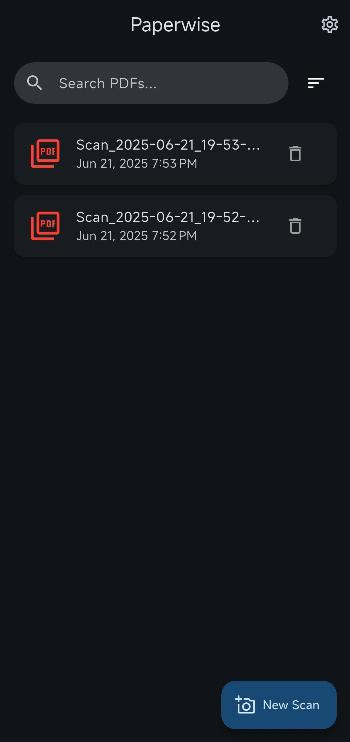
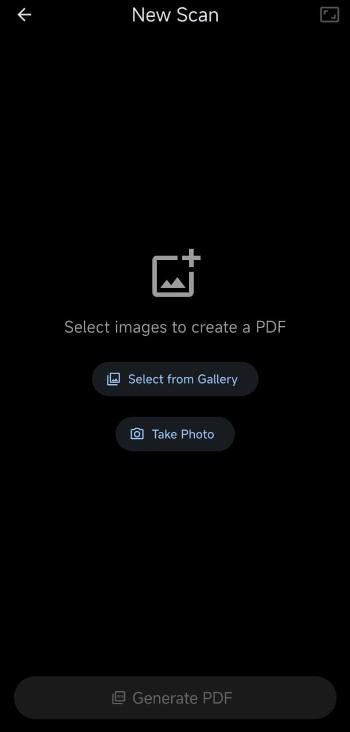
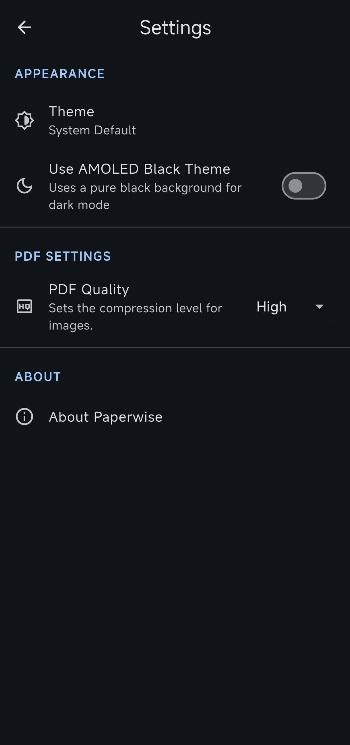
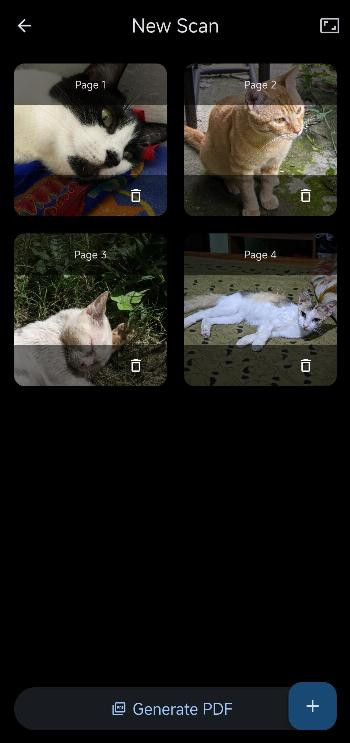
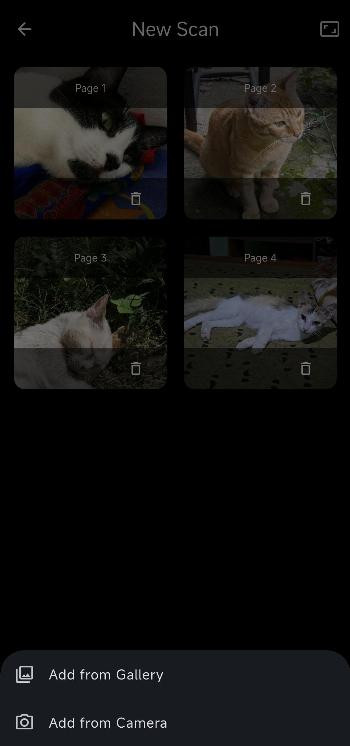
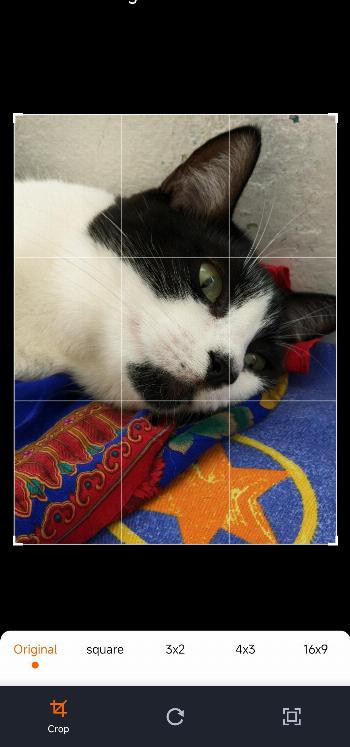
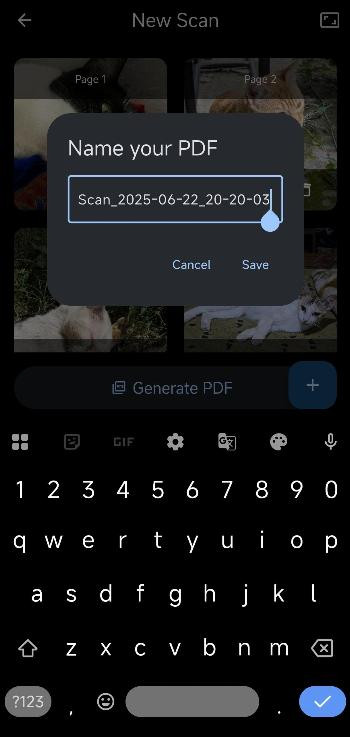
PaperWise is a productivity app by Aishwarya Prateek that converts images from your camera or gallery into PDF documents. It is positioned as a lightweight, privacy-focused utility for turning physical or digital notes, receipts, and paperwork into portable files without the clutter of ads or excessive permission requests. The app processes everything locally, so your scans stay on your device rather than being uploaded to a cloud service, which appeals to users who are cautious about where their documents end up. Version 3.0.0, released on 2026-10-25, builds on the previous 2.6.x series with refinements to the scanning workflow and document customization options, though the core promise remains the same: fast, straightforward PDF creation from images. The interface is intentionally simple, letting you pick multiple images at once or capture new ones with the camera, then arrange them before exporting. You can reorder pages, crop unwanted edges, and delete images that aren't needed, giving you control over the final document structure. Page size choices include A4, Letter, and Fit to Image, so you can match the output to your intended use, whether that's printing, emailing, or archiving. There's also a quality slider that lets you trade off file size against clarity, which is handy for keeping large scans manageable. The app is free and open source under the MIT license, and it avoids unnecessary permissions, which is a notable plus for users who dislike apps that demand access to contacts or location when they shouldn't. Dark and AMOLED Black themes are included for comfortable viewing in low-light environments, and all files are saved locally, reinforcing the privacy-first approach. Overall, PaperWise fills a niche for those who want a no-frills document scanner without the analytics, tracking, or feature bloat found in many commercial alternatives.
Key features
- Batch select multiple images from your gallery or capture new ones with the camera
- Reorder, crop, and delete images before creating the PDF
- Choose page size among A4, Letter, and Fit to Image
- Adjust PDF quality to balance file size and visual clarity
- Dark and AMOLED Black themes for comfortable viewing
- All files saved locally with no ads or unnecessary permissions
- Free and open source under the MIT license
How to install
- Tap the download button on this page to get the APK file, which is about 9.7 MB in size.
- When Android asks for permission, allow your browser or file manager to install apps by enabling the 'Install unknown apps' setting for that app.
- Open the downloaded APK file from your notifications or file manager.
- Tap Install on the confirmation screen and wait for the process to finish.
- Open the app from your app drawer or the install completion screen.
- The app requires Android 5.0 or higher, so check your system version if you run into issues.
Pros
- No ads and no unnecessary permissions
- Local processing keeps documents private
- Simple, intuitive interface with batch image selection
- Multiple page sizes and adjustable PDF quality
- Dark and AMOLED Black themes included
- Open source under MIT license
Cons
- No cloud backup or sync options
- Limited editing tools beyond crop and reorder
- No OCR or text recognition features
Version history
| Version | Size | Requires Android | Updated |
|---|---|---|---|
| 3.0.0 | 9.7 MB | 5.0 | Oct 25, 2026 |
| 2.6.5 | 9.5 MB | 5.0 | Sep 28, 2026 |
| 2.6.4 | 9.4 MB | 5.0 | Sep 27, 2026 |
| 2.6.3 | 9.4 MB | 5.0 | Sep 23, 2026 |
PaperWise is for students who need to digitize handwritten notes, professionals who scan receipts and contracts on the go, and privacy-conscious users who prefer local-only document processing without cloud services.
For best results, use the crop tool on each image before generating the PDF, and experiment with the quality slider to find the sweet spot between file size and readability for your typical documents.
Frequently asked questions
How do I install the PaperWise APK on my Android device?
Use the download button on this page to get the APK, then open the file and follow the on-screen prompts. The app works on Android 5.0 or higher and the package is about 9.7 MB.
What is the current version of PaperWise?
The current version is 3.0.0, released on 2026-09-27 and last updated on 2026-10-25. Earlier releases in the series include 2.6.5, 2.6.4, and 2.6.3.
Does PaperWise contain ads or in-app purchases?
No. PaperWise is free, contains no ads, and has no purchases. It is open source under the MIT license and asks for no unnecessary permissions.
Can PaperWise be used offline and where is my data stored?
Yes, scanning and PDF creation happen entirely on your device, so no internet connection is required. Your files are saved locally and remain under your control.
Are there alternatives to PaperWise in the same app category?
Yes, other Android apps can also turn images into PDF documents, but they may include ads, request extra permissions, or handle files differently. PaperWise stands out for its privacy-focused, ad-free approach.
Which settings can I adjust when creating a PDF?
You can pick A4, Letter, or Fit to Image page sizes, adjust PDF quality to balance file size and clarity, and reorder, crop, or delete images before creation. Dark and AMOLED Black themes are also available.
PaperWise delivers a clean, privacy-respecting way to turn images into PDFs, with just enough customization to cover everyday scanning needs. It won't replace a full-featured scanner suite, but for quick, reliable conversions without ads or data collection, it's a solid choice.
Similar apps





Updated: Nov 3, 2026